02 - Research Compendia
What they are and how to share them
University of Edinburgh
Research compendium
A research compendium accompanies, enhances, or is a scientific publication providing data, code, and documentation for reproducing a scientific workflow.
A research compendium is a collection of all digital parts of a research project including data, code, texts (protocols, reports, questionnaires, meta data). The collection is created in such a way that reproducing all results is straightforward.
Research compendium
Research Compendium
A research compendium is a repository containing all materials, code, notebooks, images, data, metadata, manuscripts, etc of a project. A compendium is structured in a way that makes the research process transparent and reproducible.
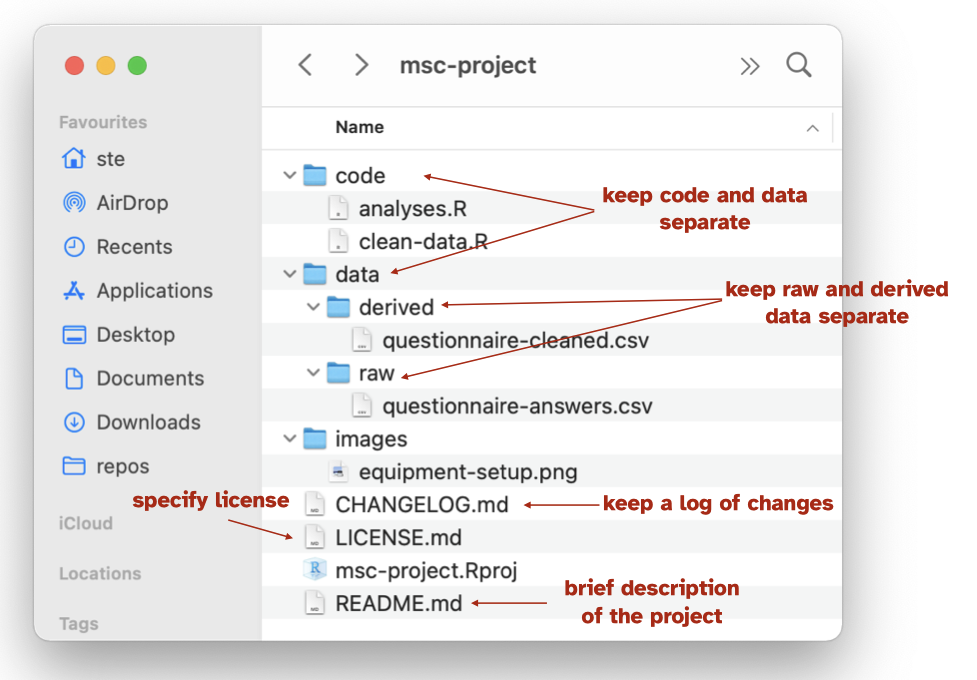
- Ideally, use a single main folder.
- Compendia can belong to a super-project and have sub-project compendia/folders. A single paper can also be associated to a specific compendium.
- Organise files and folders inside according to type and context: separate data, code, images.
- Separate raw and derived data.
- Use as much automation as possible.
- Document everything (for example with
READMEs).
Organise your files
Create one folder and make that the folder for your dissertation project.
In that folder, create folders for
data/and forscripts/(andplots/,dissertation/, etc).
In data/ have a raw/ and derived/ folder:
Raw data (data that, if lost, it is very unfortunate; for example, experiment data, data which was manually annotated, etc) should be saved in
data/raw/.Derived data (data that is derived with scripts) should be saved in
data/derived/.
Licensing
Pick a license
Creative Commons is a commonly chosen license: https://creativecommons.org/chooser/
Other licenses (for software): MIT License, GNU license.
Always include a
LICENSEfile in your compendium and be explicit which parts of the compendium fall under which license.
Backup, backup, BACKUP!
Make sure you have a backup system in place.
Saving copies of the entire folder in an external hard drive.
Saving copies of the entire folder in an online storage service (iCloud Drive, One Drive, DropBox, Google Drive, …).
Using a versioning system like git.
Research projects are dyanamic
Be prepared to change how files and folders are organised after you start.
Projects evolve over time and sometimes you need to clean things up.
Use a good system to mark versions in your files. Two simple systems:
- Use full DATE in the file name
dissertation-2022-11-21.dissertation-2023-03-01.
- Use version number
- Inspired by Semantic versioning from programming but can be helpful with research files too!
dissertation-v1.0.dissertation-v1.1.dissertation-v2.0.
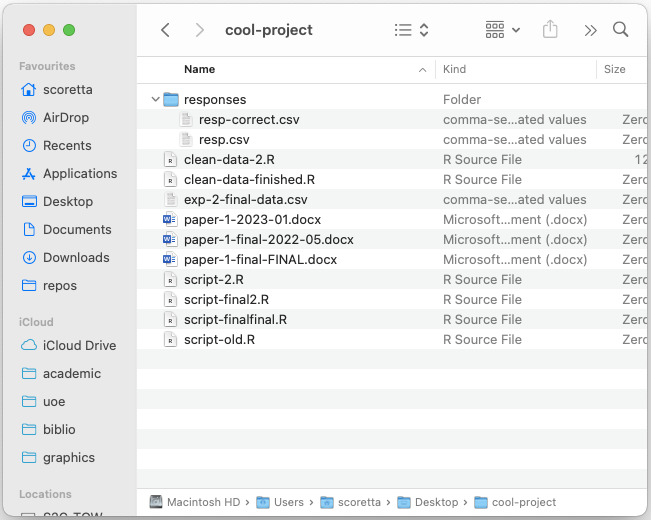
Research compendium: bad example
Research compendium: good example
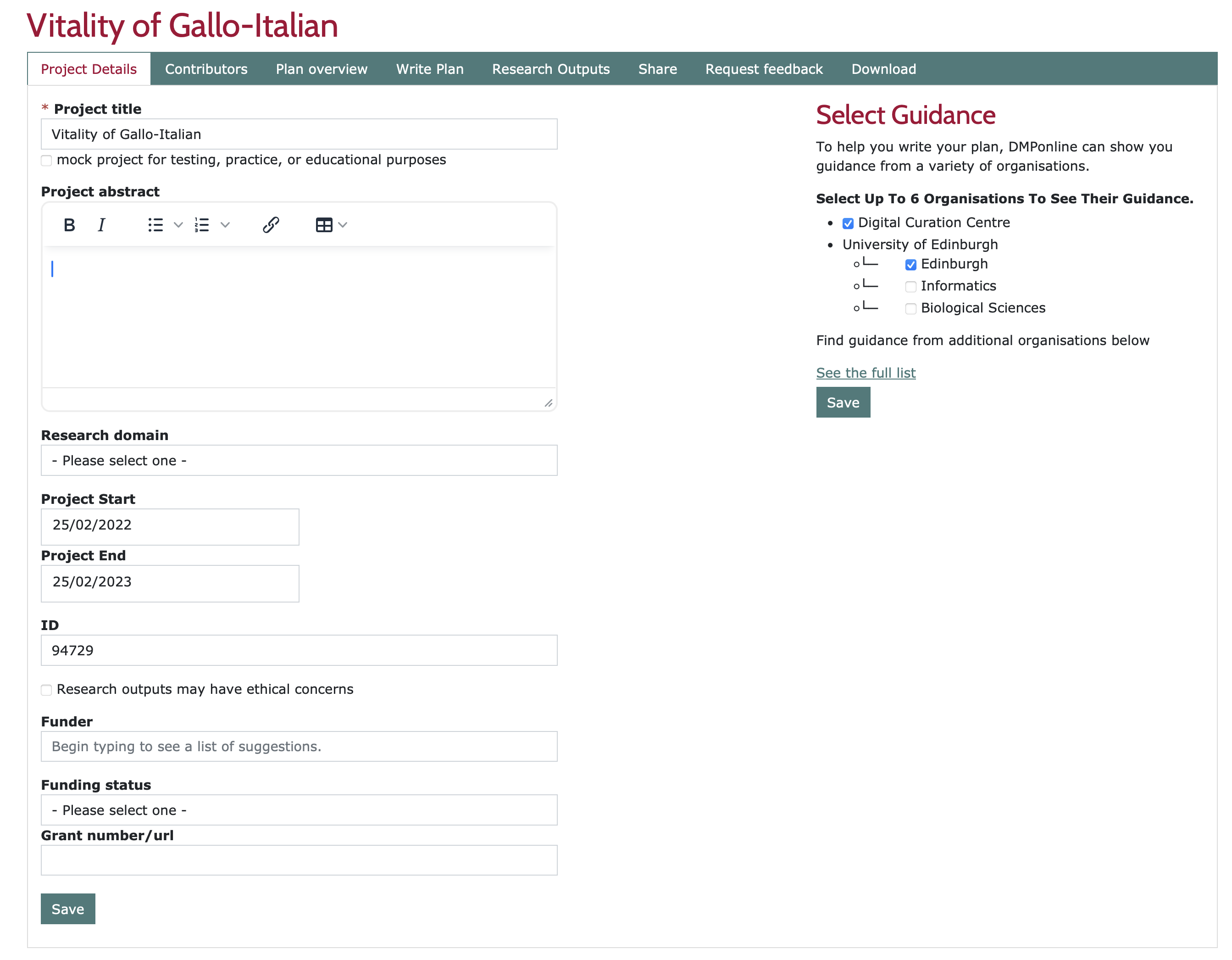
Data Management Protocol
A Data Management Plan (DMP) covers data types and volume, capture, storage, integrity, confidentiality, retention and destruction, sharing and deposit.
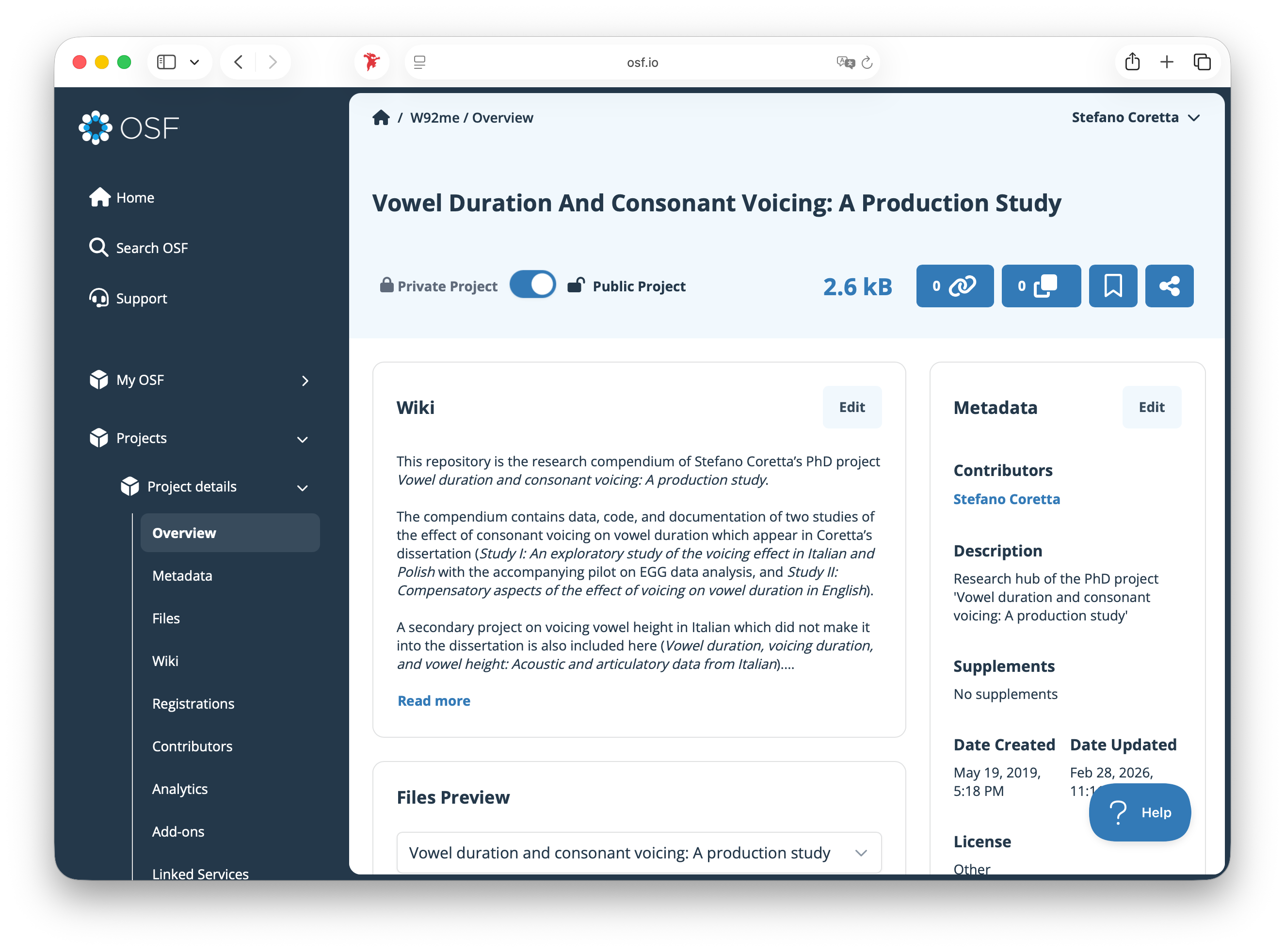
Sharing research compendia
Practice
bit.ly/49uRbaW